Coaxial Compression Tool For F-Type RG6 Coax Cables CATV HDTV
search
  • Coaxial Compression Tool For F-Type RG6 Coax Cables CATV HDTV
  • Coaxial Compression Tool For F-Type RG6 Coax Cables CATV HDTV
  • Coaxial Compression Tool For F-Type RG6 Coax Cables CATV HDTV

Coaxial Compression Tool For F-Type RG6 Coax Cables CATV HDTV

$22.99
✅SHIPS TODAY

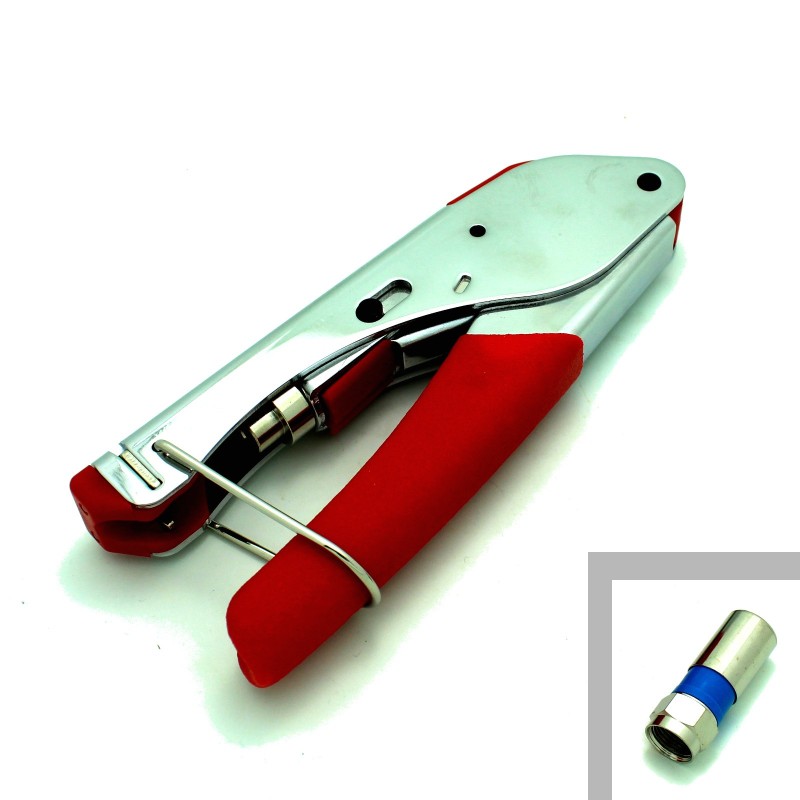
Use this Coaxial Compression Tool to cut and crimp coaxial cables for your internet, cable, and HDTV antenna connections. Slip the bare cut coaxial cable wire into the connector, place into the compression tool and squeeze the handles together to compress the new connector for a long lasting RG6 cable connection.

Quantity

  Security policy

(edit with the Customer Reassurance module)

  Delivery policy

(edit with the Customer Reassurance module)

  Return policy

(edit with the Customer Reassurance module)

Features:

  • Coaxial Compression Tool
  • Useful to cut and add a new connector to bare coaxial cables
  • For your internet, cable, and HDTV antenna connections
  • Slip the bare cut coaxial cable wire into the connector, place into the compression tool and squeeze the handles together to compress the new connector for a long lasting RG6 cable connection.
  • Same tool the pros use when installing new cable connections in your home.
  • Allows you to cut your existing wire and add a new connector to shorten the cable, add a T splitter or multisplitter.
  • Easy to use!
  • Suitable for indoor/outdoor use.
  • Add a new termination to your coax cables easily.
  • Works with Compression Coax Connectors
 
How to crimp a coaxial cable connector onto the end of a coax cable:
  • Cut the bare coaxial cable you want to add a connector to
  • Strip it using the coaxial cable stripper
  • Push the stripped cable into the compression coax cable connector until the center pin sticks out
  • Place the connector tip into the compression tool as shown in the image above
  • Squeeze the red handles together on the compression tool to fasten the connector onto the wire permanently
TS4230
1 Item
Comments (0)
No customer reviews for the moment.