Wireless USB Game Controller (Raspberry Pi Compatible)
search
  • Wireless USB Game Controller (Raspberry Pi Compatible)
  • Wireless USB Game Controller (Raspberry Pi Compatible)

Wireless USB Game Controller (Raspberry Pi Compatible)

$24.80
✅SHIPS TODAY

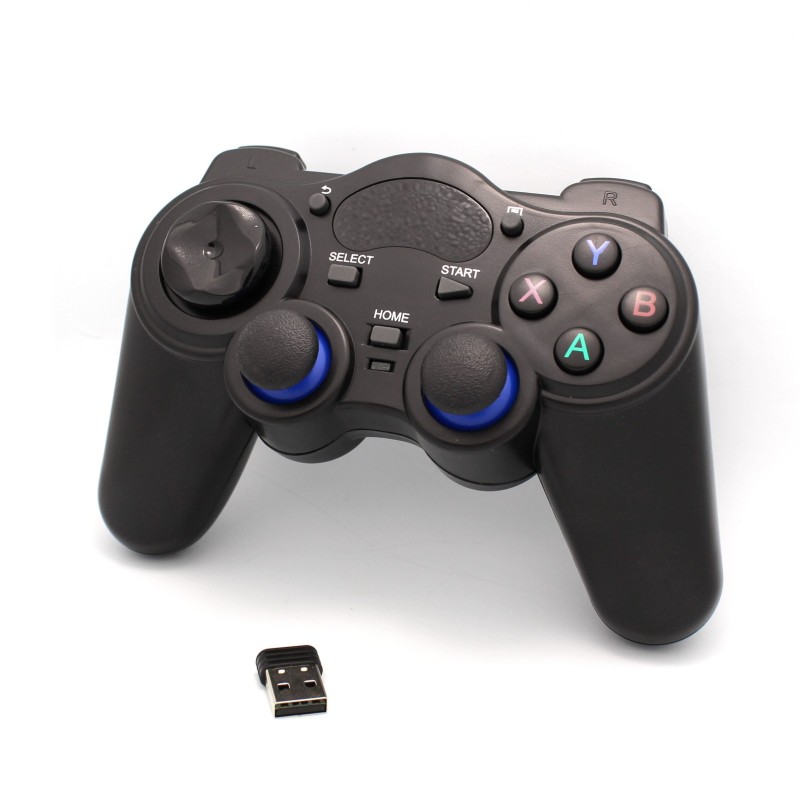
Upgrade your RetroPi projects with a wireless controller that connects right into the USB port on your Raspberry Pi.

Quantity

  Security policy

(edit with the Customer Reassurance module)

  Delivery policy

(edit with the Customer Reassurance module)

  Return policy

(edit with the Customer Reassurance module)

Features:

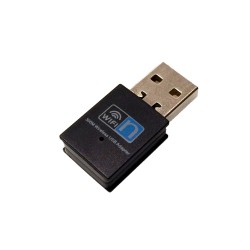
  • Wireless Controller and USB Receiver
  • Wireless Frequency: 2.4Ghz (better than bluetooth controllers)
  • Works with all Raspberry Pi models
  • Plug and Play
  • Works with:
    • Raspberry Pi
    • Windows 10 PCs and laptops
    • Android computers (Android 2.3 & later)
    • Android phones (using a USB OTG Cable)
    • Linux Computers
    • Android TV Boxes
    • PS3
    • Xbox 360
    • Fire TV
  • Powered by 4 AA batteries (batteries not included)
  • You can connect 2 controllers simultaneously for multiplayer usage
  • Home, Start, Select, Back and Menu buttons
  • 2 Comfort Grip Joysticks with click option
  • 4 Right and Left Pads: R1, R2, L1 & L2
  • D Pad
  • X Y A B action buttons
  • Ergonomic Design
  • Useful for RetroPi projects as well as other Raspberry Pi projects.
  • Very versatile for Raspberry Pi projects where you want the user to have full control
  • Plug and Play on Windows 10. Detected immediately as a PS3 controller with no setup required!
  • Setup:
    • Power on your PC and insert the USB receiver
    • Power on the controller, the 1 (or 2) red led lights up, keep pressing the home button and it will change between 1 led and 2 led.
    • Now press the home button for 5-10 seconds, and it will keep 1 led light no matter how many times you press the home button, that means it has changed into PC mode.
    • Enter the game and set up the controller, wait for several minutes if the controller does not respond yet, or unplug the USB receiver and plug it back in again.
    • Repeat "unplug the USB receiver and replug it" if the controller still has no response.
  • Compatible Systems: Android 2.3 or above, Linux system and Windows
TA1109
2 Items
Comments (0)
No customer reviews for the moment.